Memory and Storage
Hardware · 4 question types
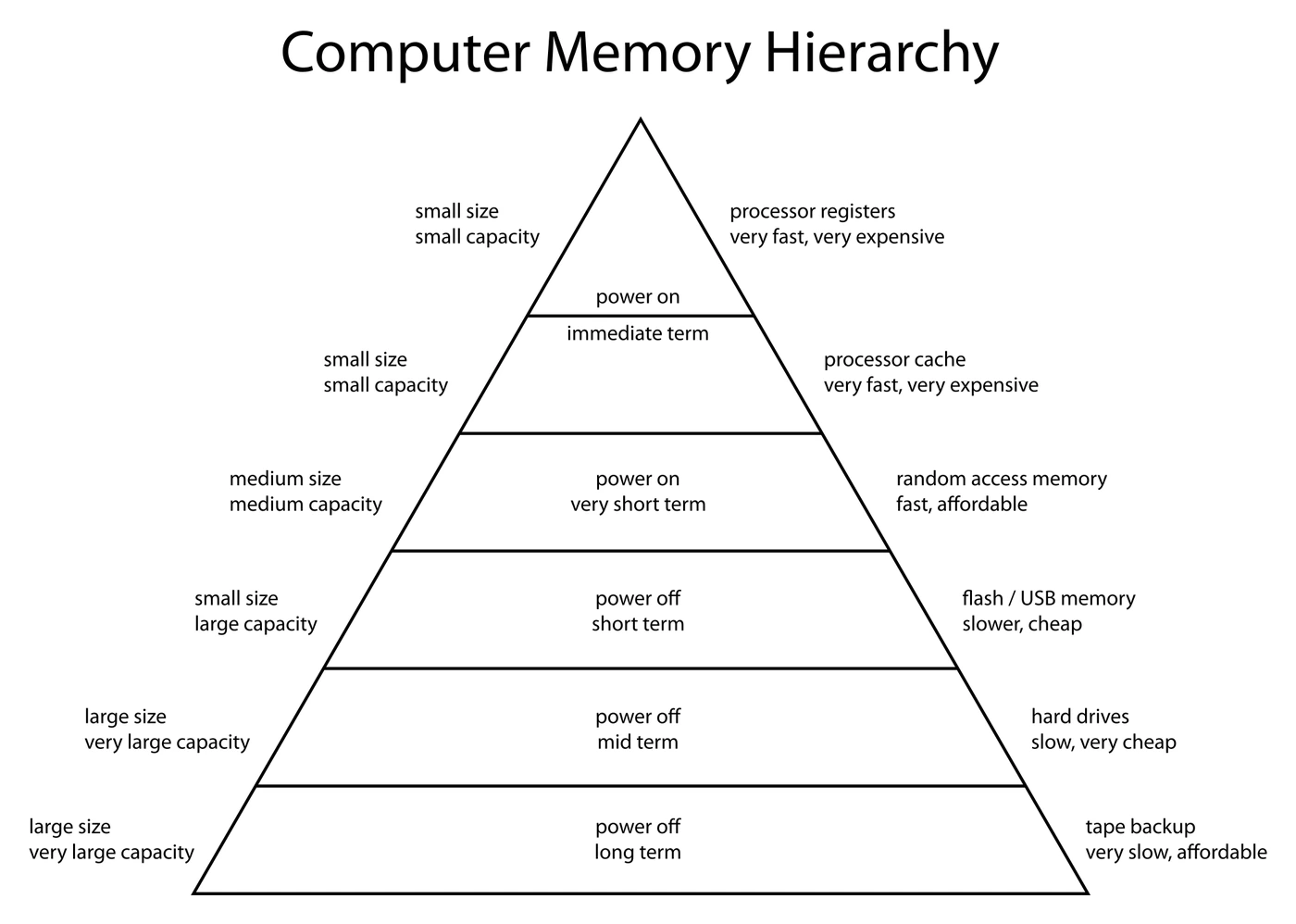
Two Kinds of Computer Memory
Every working computer keeps data in two distinct places:
- Primary storage: the fast, working memory directly accessible to the CPU. Used while the program is running.
- Secondary storage: the slower, long-term storage that holds programs and files when they are not in use, and that keeps its contents when the power is off.
A useful first comparison:
| Feature | Primary storage | Secondary storage |
|---|---|---|
| Speed | Very fast | Much slower |
| Capacity | Small (typically gigabytes) | Large (often terabytes) |
| Cost per gigabyte | High | Low |
| Volatile? | RAM is volatile; ROM is not | Always non-volatile |
| Directly accessible by CPU? | Yes (the CPU reads from and writes to primary storage every cycle) | No (data must be loaded into primary storage first) |
| Typical examples | RAM, ROM, cache, CPU registers | Hard disk drives, SSDs, USB flash drives, CDs, DVDs, Blu-rays |
Comparing primary and secondary storage
Question: Give an example or characteristic of primary storage, pick it out of a list of devices, or explain two differences between primary and secondary storage (1–4 marks).
Asked in 4 of the 17 papers. The credited examples are RAM and ROM (one scheme also takes cache); the distractors (CD, DVD, HDD, SSD, USB flash drive) are all secondary storage. Explaining the example earns two more marks for its purpose: the RAM and ROM points in the next section. The one-mark characteristic is direct access by the CPU, or having both volatile and non-volatile parts.
Each difference is two listed points, the primary half and a whereas-secondary-storage half, so two full differences earn four marks: directly accessible to the CPU or not; holds what is in use now or holds user files, the operating system and applications; small or larger capacity; partly volatile or non-volatile; partly unchangeable or writable; faster or slower access.
Computers need both. Primary storage is fast enough to keep up with the CPU, but it is too expensive (and usually too volatile) to hold everything forever. Secondary storage is cheap and persistent, but too slow for the CPU to use directly during the fetch-decode-execute cycle.
Why a device needs secondary storage
Question: Explain the purpose of the secondary storage in a device such as a smartphone, or state which component keeps the installed software when the power is turned off (1–2 marks).
Set in 2 of the 17 papers. The one-mark answer is secondary storage; HDD or SSD is accepted instead. For two marks, give two separate points from the scheme's list: it stores data and files permanently, so that programs and data do not have to be downloaded, installed or entered again every time the device is switched on (the scheme lists that consequence as a separate point, so the two together earn both marks); it lets software be downloaded and installed; it holds the user's own files; and it provides the space in which virtual memory is created. The points are specific, saying what is stored or why it must survive the power going off, so add that detail to a bare "it stores data".