Types of Software
Software · 4 question types
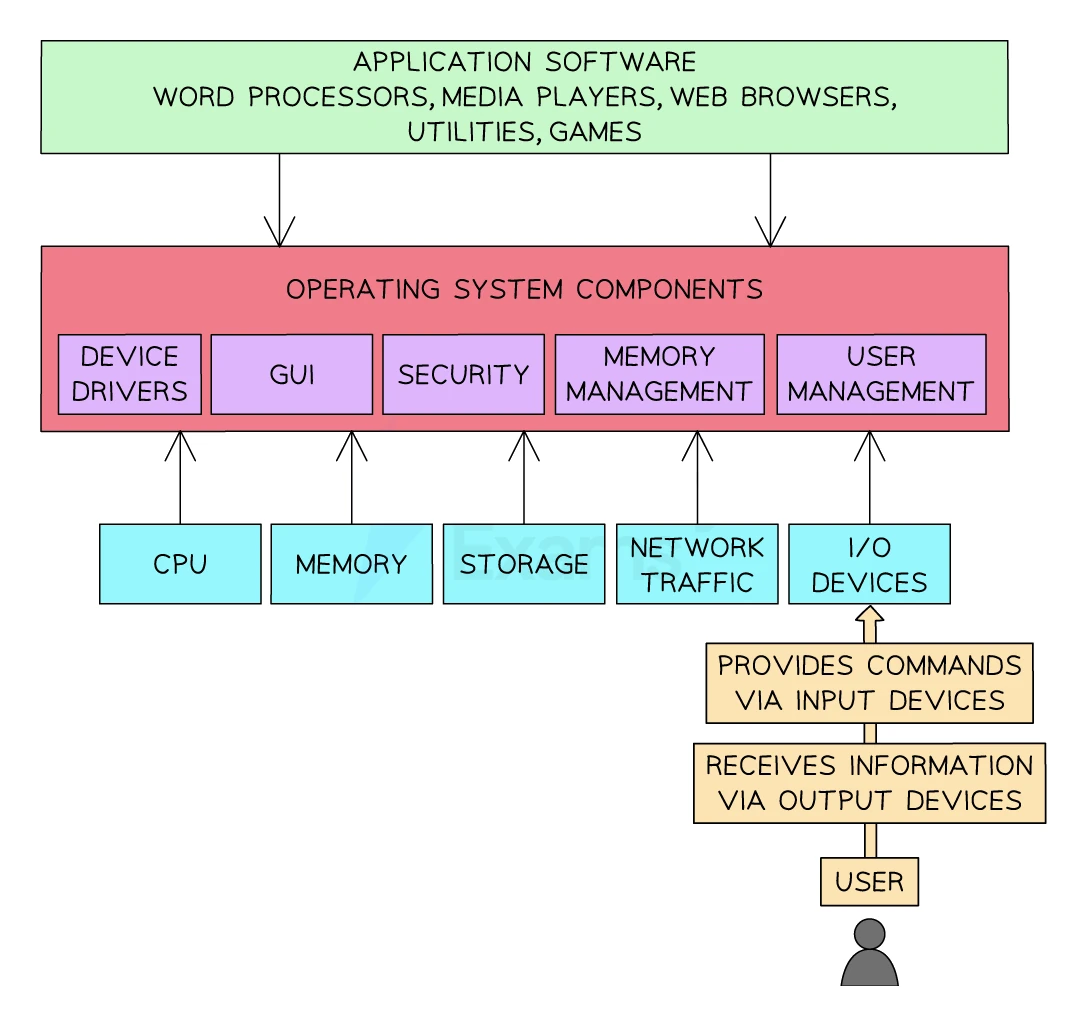
An operating system (OS) is system software that takes charge of the hardware and gives a controlled environment in which to run.
Examples: Microsoft Windows, macOS, Linux, Android, iOS, Chrome OS.
The user does not have to know where on disk a file lives, or how the printer talks to the CPU, or how to share RAM between two open programs. The OS handles all of that. It hides the complexity of the hardware behind a clean interface.
There are eight main functions of an operating system to know. Each one is worth remembering separately because exam questions often ask "name and describe two functions".
Functions of the operating system
Naming and describing one OS function is a regular 2-marker, so you need to know a function plus what it does — e.g. memory management (allocates RAM to each program and stops them clashing) or managing peripherals (via device drivers). A name on its own scores only half; "it manages the computer" scores nothing.
Function 1: File management
The OS lets the user create, name, rename, copy, move, delete and search files and folders. It also tracks the physical location of each file on the disk, so the user is freed from worrying about exactly where bytes sit.
The OS also controls file permissions: who can read, write or delete each file. This is essential on shared computers and on networks.
Function 2: Memory management
The OS allocates RAM between the programs that are running. When a program opens, the OS reserves enough RAM for its code and data. When a program closes, the OS frees that RAM for the next program to use.
If RAM runs out, the OS uses virtual memory (covered in topic 9) to spill inactive data onto secondary storage.
Function 3: Multitasking
A modern OS lets the user run several programs at once: a web browser, an email client and a music player, for example. The CPU can only run one instruction at a time, but the OS switches between programs so rapidly (millions of times per second) that they appear to run simultaneously.
The OS uses scheduling to decide which program gets the CPU at each moment, balancing priority and fairness.
Function 4: Peripheral management and device drivers
The OS coordinates communication with every connected device: keyboard, mouse, monitor, printer, USB drive, network card. To do this it uses device drivers, which are small pieces of software (often supplied by the device manufacturer) that translate between the OS and the specific hardware.
When a new device is plugged in, the OS detects it (plug-and-play) and either uses a built-in generic driver or asks the user to install a specific one.
Function 5: User interface
The OS provides the way the user interacts with the computer. Four common kinds of user interface:
| Interface | What it is | Best for |
|---|---|---|
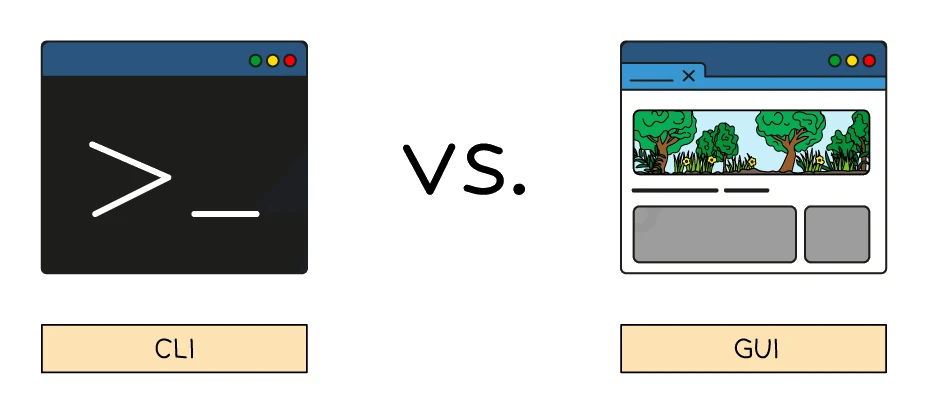
| Command Line Interface (CLI) | The user types text commands; the OS responds with text | Advanced users; scripts and automation; low system overhead |
| Graphical User Interface (GUI) | The user clicks windows, icons, menus and pointers (WIMP) with a mouse, finger or trackpad | Most personal computers and smartphones |
| Menu interface | The user makes a single choice from a small menu, then sees the next menu | Cash machines, vending machines, set-top boxes |
| Natural language interface (NLI) | The user speaks (or types) in plain language; the computer interprets it | Voice assistants like Siri, Alexa, Google Assistant; smart-home devices |
Side-by-side advantages and disadvantages
| Interface | Advantages | Disadvantages |
|---|---|---|
| CLI | Uses little memory and CPU; very fast for experts; great for scripting | Steep learning curve; users must remember commands; one typo and the command fails |
| GUI | Easy to learn; visual; no need to remember commands | Uses more memory and CPU; slower than typing a known command; repetitive tasks are tedious |
| Menu | Simple; reliable; works well on small screens or with limited input | Inflexible; deep menus get tedious; not all tasks fit a simple linear menu |
| NLI | Hands-free; works for users with limited motor skills; intuitive | Speech recognition can misunderstand; privacy concerns over recording; needs strong processing power |
Function 6: Security
The OS protects the system and user data from accidental or malicious damage. Typical security features:
- User accounts with passwords, so only authorised users can log in.
- Access permissions that say which user can read or modify each file.
- Built-in firewall that filters network traffic.
- Built-in antivirus that scans new files for known malware.
- File and disk encryption so that stolen drives cannot be read without the key.
- Update management so security patches are installed automatically.
Function 7: Interrupt handling
The OS responds to interrupts, which are signals from hardware or software that need immediate attention. Interrupts are covered in detail in section 6.
Function 8: Providing a platform for application software
The OS gives apps standard ways to use hardware and services. An app does not have to know how to talk directly to a specific printer or graphics card. It asks the OS, and the OS handles the details. This is what makes the same word processor able to work on many different computers.