1. Where a calculator is allowed
One paper with a calculator, one without
- Each candidate sits two papers of equal weight, 80 marks and 1 hour 30 minutes each: Paper 1, where calculators are not allowed, and Paper 3, where a scientific calculator is required
- Half the assessment therefore rewards calculator fluency and half rewards written methods
- Only Paper 3 sets a default accuracy: an answer that is not exact goes to 3 significant figures, or to 1 decimal place for an angle in degrees, unless the question asks for something else, and π is the calculator's value or 3.142
- Any scientific model carries the functions needed, though the key sequences differ between makes, so the one taken into the exam should be the one practised on
- Older models sometimes take the number before the function rather than after it, which is worth confirming well before the exam
2. Settings to check
Before starting
- The angle unit must be set to degrees, since this specification works in degrees throughout
- Most calculators show a small D on the display when degrees are selected
- A mode that displays fractions and roots in their exact form is preferable, because it keeps answers exact until the moment a decimal is wanted
- A key marked S⇔D, or similar, switches a displayed answer between its exact and decimal forms
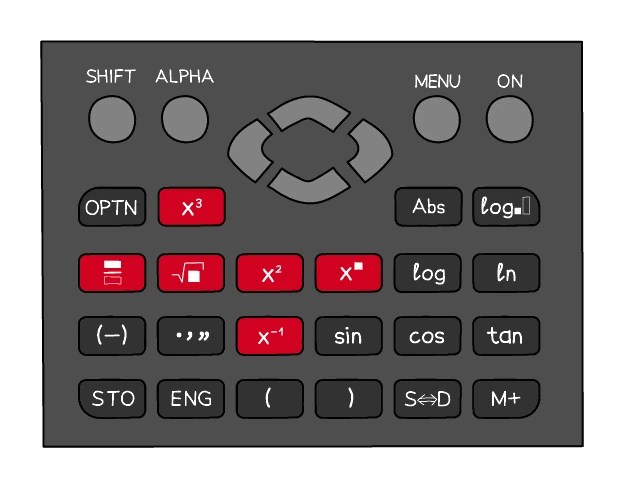
- Resetting the calculator before the exam restores every default and clears any setting changed for another subject
3. Entering values correctly
Converting before entering
- Quantities that are not decimal must be converted before they are typed in
- Time is the usual case, because minutes are sixtieths rather than hundredths
- 2 hours 30 minutes is entered as 2.5 hours
- 3 hours 20 minutes is entered as 3 ⅓ hours, since 20 minutes is a third of an hour
- Many calculators also have a degrees-minutes-seconds key, which allows hours and minutes to be entered directly
Using brackets
- Brackets are needed wherever the written layout does its own grouping
- A fraction line groups the whole numerator and the whole denominator, and a root sign groups everything beneath it
- (7 + 5) ÷ (9 − 3) must be typed with both brackets, or the calculator works out 7 + 5 ÷ 9 − 3, dividing only the 5 and only by the 9
- Negative numbers being squared need brackets, since without them the calculator squares first and applies the sign afterwards
Worked example
Evaluating a printed fraction to 3 significant figures
Work out the value of the fraction whose top line is √(14.6 − 2.3²) + 5.1 and whose bottom line is 2.7³ − 8.4, where the root sign covers only 14.6 − 2.3². Give your answer correct to 3 significant figures.
Solution:
- The fraction bar groups each line, so type the whole top and the whole bottom in brackets: (√(14.6 − 2.3²) + 5.1) ÷ (2.7³ − 8.4)
- Close the root's bracket where the root sign ends, straight after 2.3², so the + 5.1 stays outside the root
- As a check, the top is √9.31 + 5.1 = 3.0512… + 5.1 = 8.1512…, and the bottom is 19.683 − 8.4 = 11.283
- The calculator shows 0.722 434…
- The fourth significant figure is 4, so the third stays as it is: 0.722
- Without the brackets round the bottom line, the calculator works out 8.1512… ÷ 2.7³ − 8.4 = −7.99 (to 3 significant figures), nowhere near
Keys that save time
- The Ans key holds the previous result, so a calculation in stages continues without the last figure being retyped, and therefore without it being rounded
- The memory keys hold a value for use much later in the same question, which is what keeps full accuracy through a long chain of working
- The table function evaluates one expression at a whole list of x values at once, which fills in a table of values for a graph far faster than entering each substitution separately
- The π key keeps full accuracy, and a calculator with an exact display shows a multiple of π as it stands, so a result asked for in terms of π need not be turned into a decimal
4. Reading the display
The display is not always the answer
- A displayed figure has to be interpreted in the context the question set
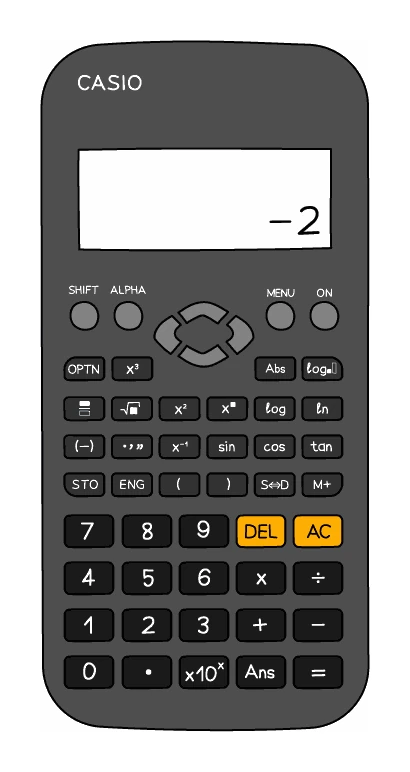
- In money, a display of 7.5 means £7.50, because currency is written to two decimal places
- In time, a display of 1.75 means 1 hour 45 minutes, because 0.75 of an hour is 45 minutes
- Reading 1.75 as "1 hour 75 minutes" is the error this warns against
- A display in standard form, shown with a small exponent, must be written out properly rather than copied with the calculator's own notation
5. Rounding and accuracy
Round once, at the end
- Values are never rounded partway through a calculation: the full display is carried forward and only the final answer is rounded
- Rounding early shifts the final figure, and the more steps that follow, the larger the shift
- Where a value is needed again later, recall it from the calculator's memory rather than retyping a rounded version
Exam tip
Write the display, then round
When a calculation must be rounded to a stated accuracy, the unrounded value earns a mark of its own, so write 7.754 098… before giving 7.75 to 2 decimal places. If a slip makes your value wrong, rounding it correctly can still earn that mark, but only when the longer value is written down. So copy more figures from the display than the answer needs, then round once.
Worked example
The cost of rounding too early
Work out 2/3 of 285, first exactly and then using 0.67 in place of the fraction. Compare the results.
Solution:
- Keeping the fraction exact: 285 × 2 ÷ 3 = 190
- Replacing 2/3 with the rounded 0.67: 285 × 0.67 = 190.95
- The rounded version is out by almost a whole unit, from a rounding that looked harmless
- Entering the fraction itself, rather than a decimal approximation of it, avoids this entirely
Worked example
Showing a value is correct to a given accuracy
£1600 is invested at 1.8% per year compound interest. Show that its value after 7 years is £1813, correct to the nearest pound.
Solution:
- A 1.8% increase each year is a multiplier of 1.018
- The value after 7 years is 1600 × 1.018⁷ = 1812.818…
- Write the value to more figures than the printed one: £1812.82, which is £1813 to the nearest pound
- Writing only £1813 would show nothing, because that is the value you were given
- Rounding 1.018⁷ = 1.1330… to 1.13 first gives 1600 × 1.13 = £1808, which does not round to £1813, so carry the full display
- If a later part needs this value, start from the printed £1813