1. What a network is
A computer network is two or more computing devices connected together so they can share data and resources.
A network can be as small as two phones paired by Bluetooth, or as huge as the global internet linking billions of devices. Networks are usually grouped by their size and scope:
| Type | Stands for | Scope | Typical example |
|---|---|---|---|
| LAN | Local Area Network | A single building or site | A school's network; a home Wi-Fi network |
| WAN | Wide Area Network | A large area, possibly worldwide | The internet itself; a company's offices linked across cities |
This topic focuses on how networks are built and addressed: the hardware that connects devices, the addresses that identify them, and the that control how they talk.
2. Network hardware
Every network needs a small set of physical components. Five are commonly listed.
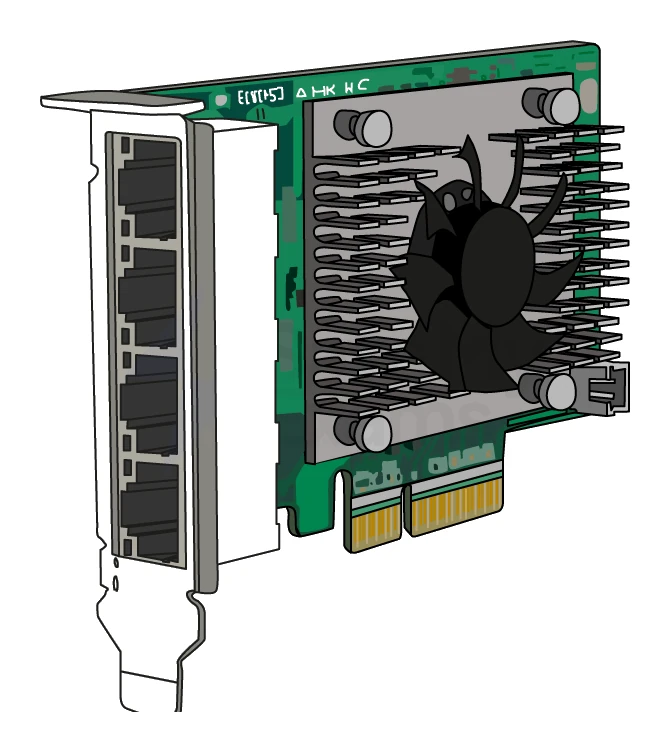
Network Interface Card (NIC)
A Network Interface Card (NIC) is the piece of hardware inside a device that lets it connect to a network.
- Every computer, phone, printer or smart-home device with networking has a NIC.
- A NIC can be wired (Ethernet socket) or wireless (Wi-Fi antenna).
- The NIC is the part that physically sends and receives data over the network.
- Each NIC carries a unique burned in at manufacture (covered in section 3).
Router
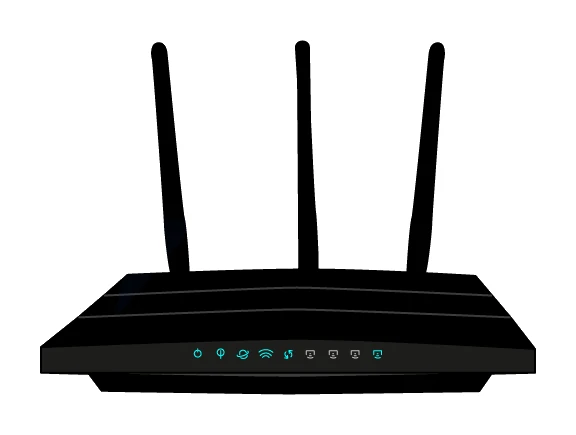
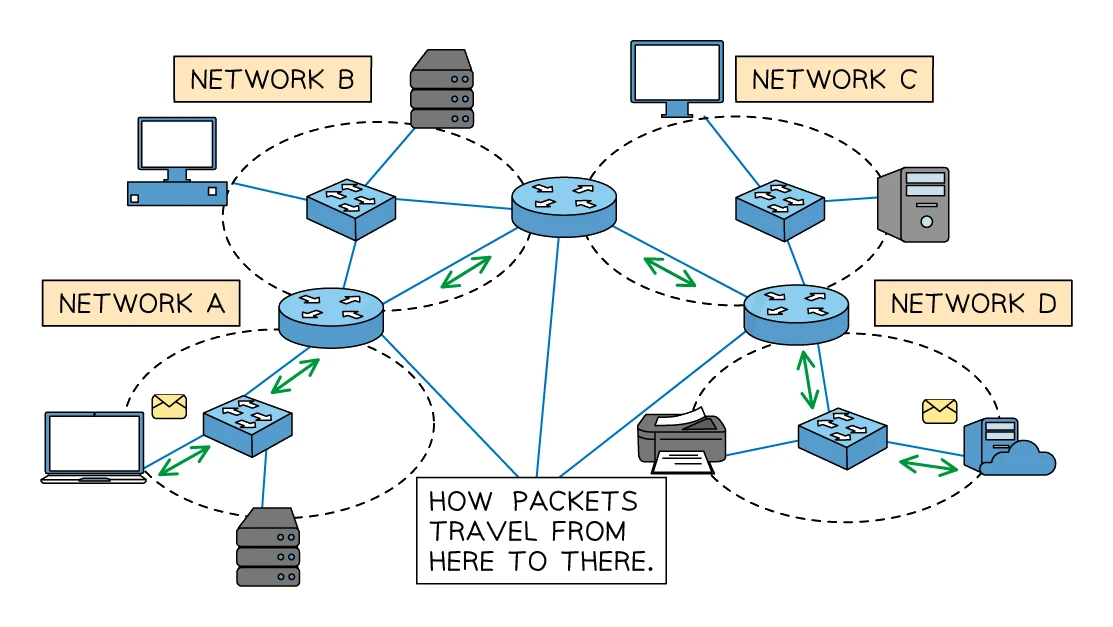
A router is a device that forwards data packets between different networks.
The router's main jobs:
- Connect a Local Area Network () to the wider internet () so home or office devices can reach the outside world.
- Read each packet's destination and decide which neighbouring router or device to forward it to next, using a routing table.
- Assign IP addresses to the devices on its LAN, usually via the DHCP protocol.
- Manage and prioritise traffic so the network stays responsive when many devices are using it.
- Convert between protocols if needed.
The home box from an internet provider is a (often combined with a switch and a wireless access point in one unit).
Common exam question
Describing the role of a router
Question: Name the device that forwards data across a network towards its destination, tick the device that assigns a computer its IP address, or draw and annotate a diagram showing the role of a router (1–4 marks).
Asked in 3 of the 17 papers. The one-mark versions want the word router, or its definition when a table gives you the term: it sends each packet on towards its correct destination, and it (not the NIC, the DNS or a web server) assigns an IPv4 address to a computer joining the network.
The diagram earns one mark per idea shown, so label it. The router examines each packet, reading the header for the destination IP address; it sends the packet on towards that destination, choosing the route (the fastest one); it joins devices or whole networks together; and it hands an IP address to a device on its network.
Switch
A switch is a device that connects multiple devices on the same and forwards packets only to the specific device that needs them.
Switches read each packet's destination and send the packet only out of the port leading to that MAC. This is more efficient than the older hub, which simply broadcast every packet out of every port.
Wireless Access Point (WAP)
A Wireless Access Point (WAP) is a device that lets wireless devices join a wired network.
A WAP plugs into a wired network and broadcasts a Wi-Fi signal, letting laptops, phones and smart-home devices connect without cables. Modern home routers usually have a WAP built in.
Transmission media
The physical pathways down which the data travels:
- Copper twisted pair (the standard Ethernet cable): cheap, easy to install, lower speeds than fibre.
- Fibre optic: pulses of light through a glass thread; very fast, low signal loss, used for high-speed and long-distance links.
- Wireless (Wi-Fi, cellular): convenient but slower and more vulnerable to interference.
The five components at a glance
| Device | Role |
|---|---|
| NIC | Built into each device; lets it connect to a network |
| Router | Connects networks together; routes data between LANs and WANs |
| Switch | Connects devices on the same LAN; forwards packets by MAC address |
| WAP | Provides a wireless connection point to a wired network |
| Transmission media | Cables (copper, fibre) and wireless signals carrying the data |
3. MAC addresses and IP addresses
Devices on a network need an address so that data can be sent to the right one. Two addressing schemes are examined: MAC and IP.
MAC address
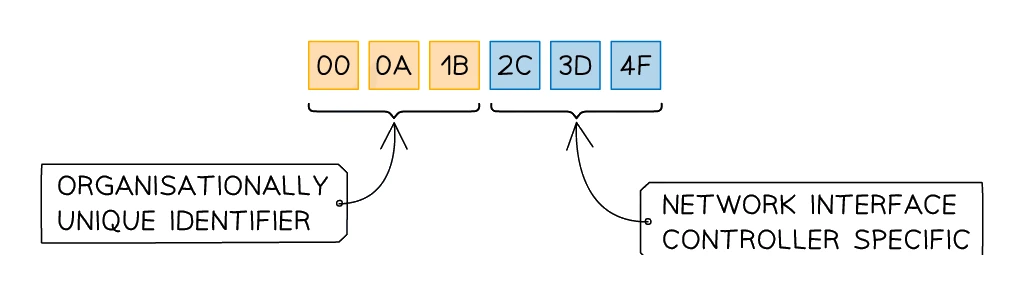
The MAC address (short for Media Access Control) acts as a unique identifier for each network card. The manufacturer burns it into the NIC during production, and it is used to recognise the device on a Local Area Network (LAN).
Key facts:
- Static: the MAC address is set at the factory and never changes for the life of the NIC.
- 48 bits long, usually written as 12 hexadecimal digits grouped into six pairs separated by colons: AA:BB:CC:DD:EE:FF.
- The first three pairs identify the manufacturer (Organisationally Unique Identifier, OUI).
- The last three pairs are a serial number assigned by the manufacturer.
- A device's MAC address stays the same even after the device joins a new network.
- The 48-bit address space allows for about 281 trillion different MAC addresses, far more than the number of devices ever made.
IP address
An IP (Internet Protocol) address is a unique identifier assigned to a device when it joins a network, used to identify the device on the internet ().
Key facts:
- Can be static (fixed, used for servers and websites that need a permanent location) or dynamic (changes each time the device joins a network, assigned automatically by a DHCP server).
- A device's IP address typically changes whenever it joins a different network.
- Two versions exist: IPv4 and IPv6.
IPv4
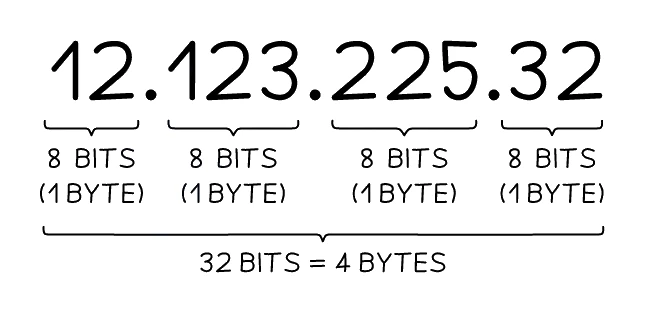
IPv4 is the older version, using 32-bit addresses written as four denary numbers in the range 0 to 255, joined by dots.
Example: 192.168.1.1
- Each block (called an octet) is one byte (8 bits).
- A full IPv4 address occupies 32 bits in total (4 bytes).
- The total number of possible IPv4 addresses is 2³² ≈ 4.3 billion.
- That seemed like plenty in 1983, but with 8 billion+ people, smart phones, IoT devices and servers, the 4.3 billion addresses are now exhausted.
IPv6
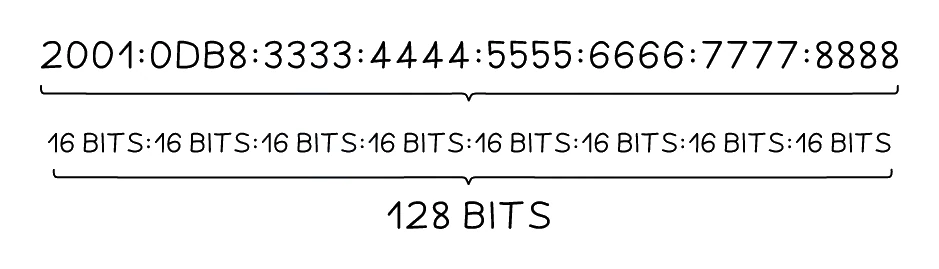
IPv6 is the newer version, using 128-bit addresses written as eight blocks of four hexadecimal digits, separated by colons.
Example: 2001:0db8:85a3:0000:0000:8a2e:0370:7334
- Every block holds 16 bits (2 bytes).
- The full IPv6 address spans 128 bits (16 bytes) overall.
- The total number of possible IPv6 addresses is 2¹²⁸ ≈ 3.4 × 10³⁸, enough to give every person on Earth about 10²⁸ unique addresses.
- IPv6 is now being rolled out worldwide alongside IPv4.
Common exam question
Describing an IPv4 address or comparing it with IPv6
Question: Describe the characteristics of an IPv4 address, or give one similarity and describe two differences between IPv4 and IPv6 (4–5 marks).
Set in 2 of the 17 papers. For IPv4 alone, four format points are the safe answer: written in denary, each number 0 to 255, 32 bits long, four groups separated by dots. General properties (unique, static or dynamic, public or private, a network prefix plus a host number) are capped at two of the four marks.
A similarity is one mark: both identify a device on a network, both can be static or dynamic, both are unique, both can be assigned by a router. Each difference is a linked pair, one point per half, so write both the IPv4 and IPv6 sides: 32-bit against 128-bit, denary against hexadecimal, four groups against eight, dots against colons, 0 to 255 against 0000 to FFFF, fewer addresses against many more, all zeros shown against zeros shortened to a double colon.
Side-by-side comparison
| Feature | MAC address | IP address |
|---|---|---|
| Stands for | Media Access Control | Internet Protocol |
| Assigned by | The NIC manufacturer | The network (router / DHCP server) |
| Static or dynamic? | Static (never changes) | Can be static OR dynamic |
| Length | 48 bits (12 hex digits) | IPv4: 32 bits. IPv6: 128 bits |
| Format | AA:BB:CC:DD:EE:FF | IPv4: 192.168.1.1. IPv6: 2001:0db8::1 |
| Used on | LAN (locally) | WAN / internet (globally) |
| Changes when device moves networks? | No | Yes |
| Used to forward data by | Switches | Routers |
Why both addresses are needed
The two address systems do different jobs:
- The gets a packet from a sender, somewhere on the internet, to the destination network. Routers around the world use it.
- The then delivers the packet within the destination network, from the router to the specific device. Switches use it.
Think of it like postal delivery: the IP address is the street address of the building, while the MAC address is the specific person's name on that floor.
Common exam question
Completing a table of network terms and definitions
Question: Complete a table of network terms, sometimes mixed with internet terms, by filling in each missing term or missing definition (1 mark per gap, 5–6 marks).
Asked in 2 of the 17 papers, with the IP address row in both. One mark per gap, and the two address rows are told apart by who assigns the address and what it identifies. An IP address is given to a device by the network when it connects, and identifies that device on the network or the internet. A MAC address is given by the manufacturer and uniquely identifies the device itself. The NIC is the component inside a device that lets it connect to a network, and the router is the device that sends packets on to their correct destinations.
The same tables carry rows from other topics, each worth its own mark: the World Wide Web, the DNS, the web browser, hacking, and a firewall or proxy server.
4. Network protocols
A protocol is a set of rules that govern how devices on a network communicate with each other.
Without a protocol, two computers could send data but neither would understand what the other was sending. Protocols define the format of packets, the order of messages, error handling, and many other details.
The CIE syllabus names two web protocols you should know: HTTP and HTTPS.
HTTP and HTTPS
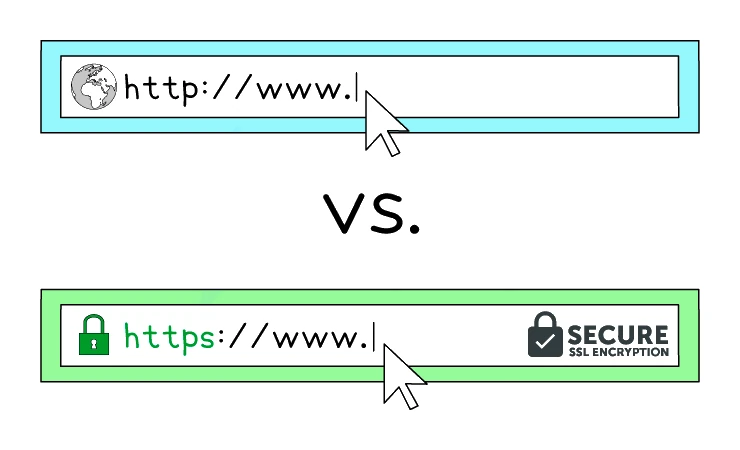
HTTP (Hypertext Transfer Protocol) is the protocol used by web browsers to request web pages from web servers and receive the response.
- HTTP defines how the browser asks for a page (a
GETrequest) and how the server replies (with the HTML content). - HTTP is not encrypted: any data sent through it can be read by anyone who intercepts the traffic.
HTTPS (Hypertext Transfer Protocol Secure) is HTTP with encryption added on top, using TLS/SSL.
- HTTPS works the same way as HTTP but the data is encrypted in transit.
- A passive eavesdropper sees only ciphertext.
- All modern websites use HTTPS, particularly any site that handles passwords, payments or personal information.
The lock icon in the browser's address bar indicates HTTPS is in use.
The protocols at a glance
| Protocol | Used for |
|---|---|
| HTTP | Web browsing (unencrypted) |
| HTTPS | Web browsing with encryption |
Why protocols matter
Protocols are what make the internet work as one giant network rather than many incompatible private systems. A web browser written in California can read a website hosted in Singapore because both ends speak the same HTTPS protocol. The two sides do not need to know anything about each other except that they both follow the same agreed rules.